


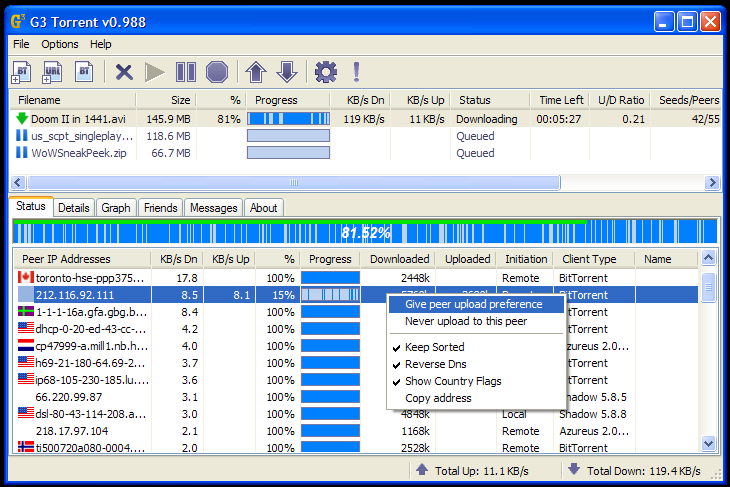
 It's all out there on the
internet—movies, TV, music, software, books, photos, and more. If you
want it, it's easy to get. There are many ways to download all of that
for free, and Torrent streams are arguably the most popular way to do
it. This article will show you how to find download torrents that are
interesting fun.
DOWNLOADING TORRENTS ARE AGAINST THE LAW OF COPYRIGHTS....Read at last
Steps
Getting Your Torrent On
- 1Find a torrent client application that will suit your needs. The BitTorrent protocol lets you exchange or distribute data over the Internet. There's no central server involved, i.e.data is downloaded from other users. What you need is a client application that will connect to the host and manage the download. There are plenty of client applications available. Some of the most common are:
- 2Find a torrent file. The .torrent file is the first thing you need. This is a small file that points to the main file that you are wanting to download.
- To find a torrent site, go to Google or Bing and enter "torrents" or simply click here.
- You can even search for torrent files using one of the many torrent search engines. Here are several popular ones:
- www.zoozle.org
- www.torrentz.eu
- www.piratebay.se
- Search for your desired file (movies, mp3, games, software etc.) and choose a link from the results list.
- Click on the "Get torrent" link in the page of your chosen file.
- A download manager window will appear, asking you how you would like to open the file. Choose Bit torrent or any torrent software you've downloaded.
- Change settings in the appearing window if you want. Click OK.
- The torrent will start downloading.
- If it doesn't open that way, just save the .torrent file in the download manager window, to an easy to locate place. Then open your torrent client and use the "Open Torrent" feature. Most torrent clients support drag-and-drop to add a torrent to the list.
- 3The download will start automatically. You may now go and do something to pass the time. Torrents download in the background, and while they do not require your attention, they will require a fair amount of time. Hours, in many cases.
- 4Some websites have "magnet links"(the above stated "Get torrent link"), which are customized URL's that communicate directly with BitTorrent applications. These links download the .torrent files from the "swarm"—other people uploading and downloading the file. Magnet links can be easier than traditional .torrent files, but may take a few seconds longer to start downloading as the metadata is generated.
Warnings
- In most countries, using torrents to download copyrighted material is against the law.
- In certain jurisdictions it is illegal to download content through peer to peer networks such as bittorrent.
- Downloading torrents can slow your computer down. Recommended specs for each client vary, but on average you should have at least 512 MB of RAM and a 1 GHz CPU. You will also need space for the files you want to save.
- Make sure you check the comment section before downloading, if there is one, to see if the torrent is real or not.
- Keep your virus protection program up to date. Software downloaded from unknown sources on the Internet can be home to some pretty nasty viruses. There are free anti-virus applications, as well as top-of-the-line apps such as Microsoft Security Essentials, AVG, and Avast. If you do happen to get a virus, remove it (see Remove a Virus).
- Downloading torrents can slow your overall internet connection down if you don't properly tweak your upload rate. DSL and Cable modems have problems downloading if you're uploading at your maximum rate. Set your clients maximum rate to 80% of your maximum upload rate if you can adjust it. If you set your upload rate too low, your downloads will slow to a crawl.
- Torrenting is a bandwidth intensive act which is frowned upon by some ISPs, leading them to throttle any torrent traffic, slowing down your downloads or even stopping them altogether. Traffic encryption can solve this, but it may or may not work in your specific circumstances.
- As with any bandwidth intensive application, make sure you know how much data you've transferred if your ISP implements a quota system (90 GB/mth). Remember that finished torrents are seeded (uploaded to others) when the torrent job is running and you might exceed your ISP quota unintentionally.

